
Shortcodes for frontend display
You can display CommonsBooking content (e.g., automatically generated item lists) on the website using shortcodes. Shortcodes can be inserted into any WordPress page. Official WordPress documentation.
The display of a shortcode can be influenced by certain parameters.
Example parameters:
orderby: Determines the attribute by which to sort, e.g.,orderby=post_titlefor sorting by the name of a post.order: Determines the sort order. AscendingASCand descendingDESC.
These parameters are valid for the following shortcodes available through the CommonsBooking plugin:
Item list
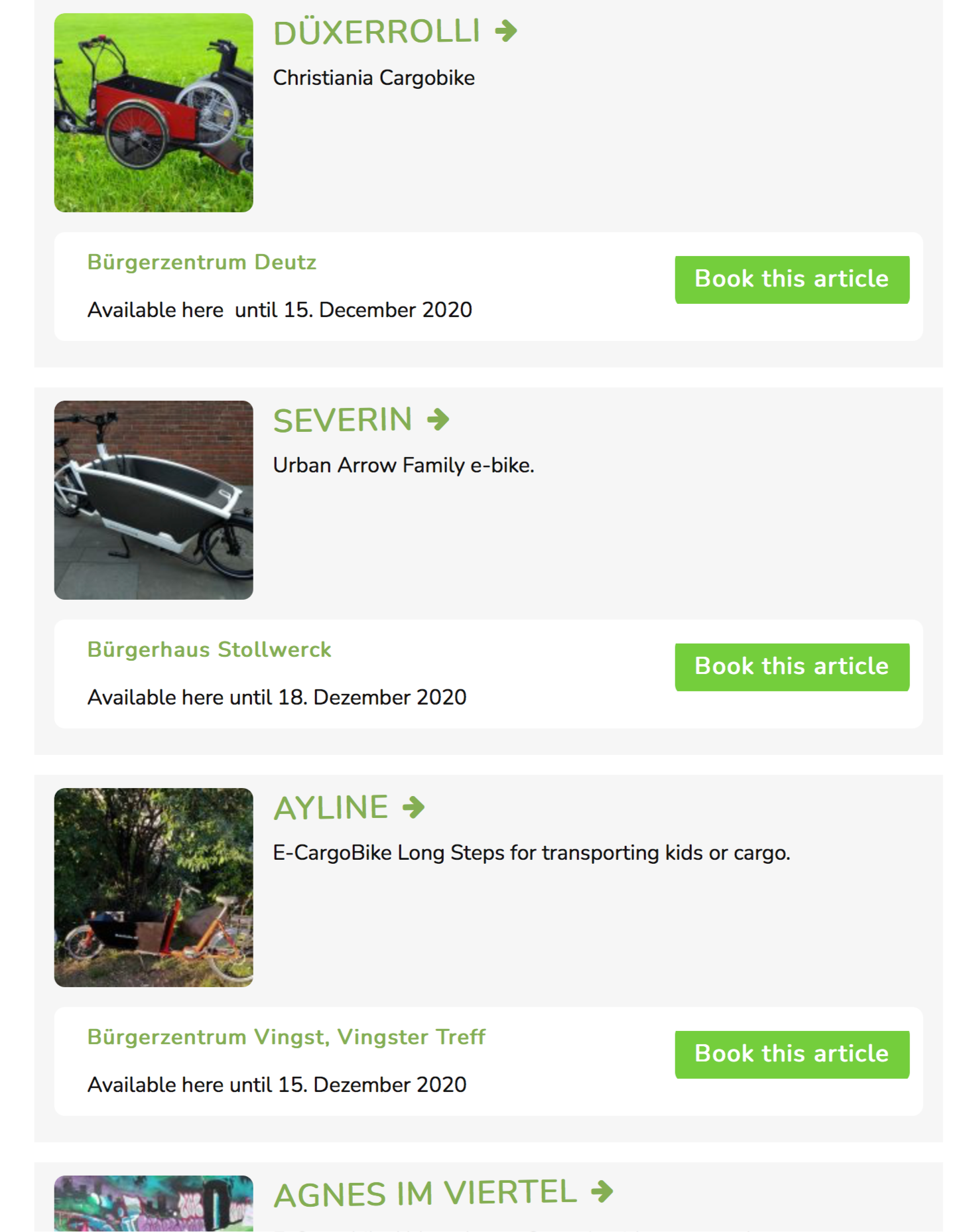
Displays a list of all published items with the locations where they are located.
- Shortcode:
[cb_items] - Parameters:
category_slug: Category filterp: Display only a single item, where 1234 is the numeric ID of the item.[cb_items p=1234]location-id: Display only items from one location, where 1234 is the numeric ID of the location post.[cb_items location-id=1234]
Display only a specific category?
If you have assigned categories to items, you can display only items of a specific category via a parameter. To do this, first find the slug of the category via the category menu and then use it as follows.
Example:
[cb_items category_slug=slug]Single item
Displays a single item in list view (see above).
- Shortcode:
[cb_items] - Parameters:
pthe post ID of your item
Example:
[cb_items p=1234]Map with filter option
Displays a map of all published items. A map must first be set up under "CommonsBooking -> Maps". More about setting up and configuring maps.
- Shortcode:
[cb_map] - Parameters (required!):
id

Map with item list
Since version 2.9
Previously, each shortcode could only be used independently, meaning a filter applied on the map had no effect on the adjacent item list. For this purpose, there is now the new shortcode
- Shortcode:
[cb_search] - Parameters (required!):
id

Additional parameters and detailed documentation
Item table with availability
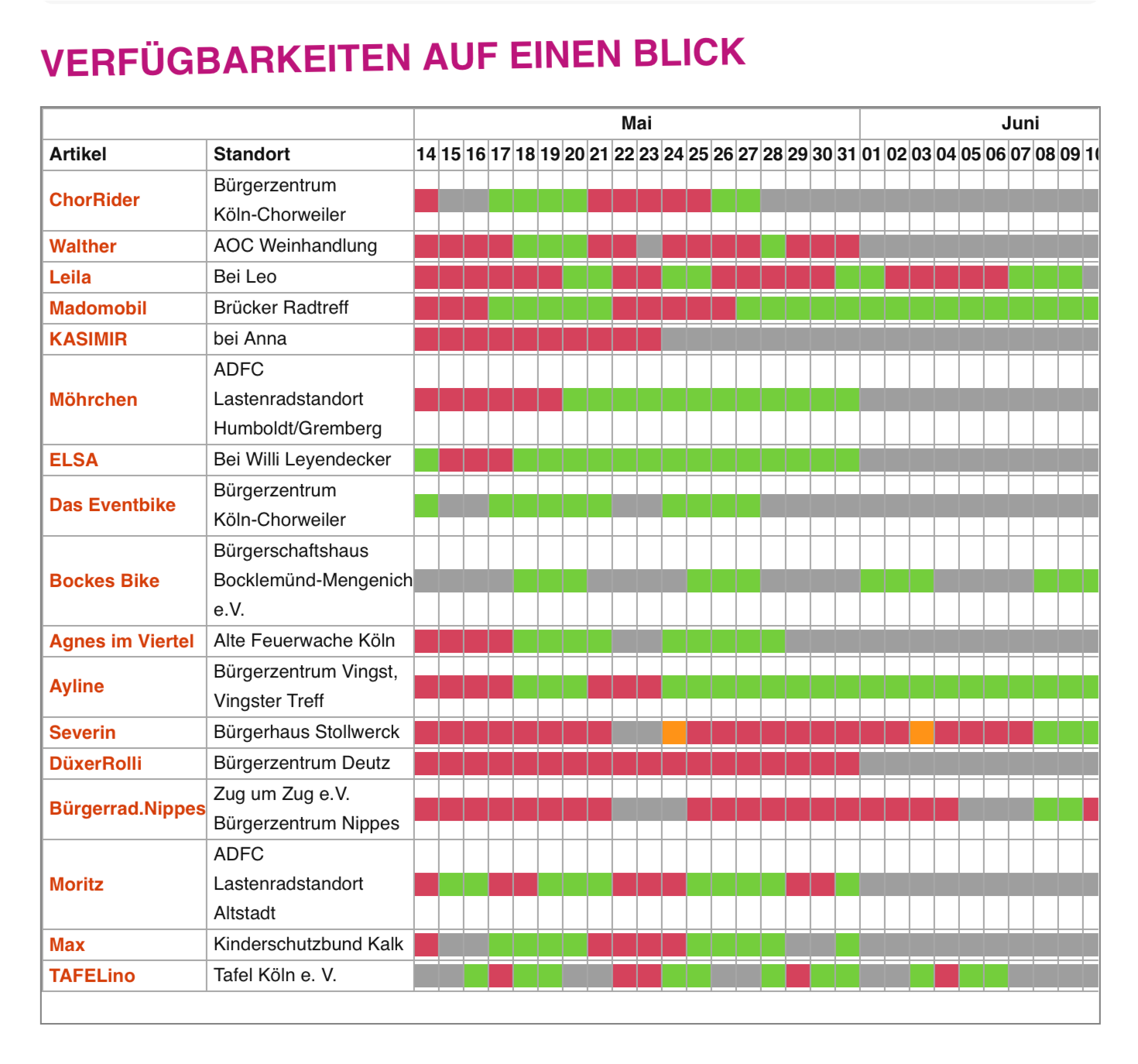
Displays a table of all published items with the locations where they are located and their current availability.
- Shortcode:
[cb_items_table] - Parameters:
days: The number of days to display is set to 31 by default. This value can be adjusted using the days attribute. Example to display only 10 days.Example:
[cb_items_table days=10]desc: Additionally, a brief description can be inserted above the table using the desc attribute.Example:
[cb_items_table desc=Cargo bikes]itemcat: Filter by item categoriesExample:
[cb_items_table itemcat=itemcategoryslug]locationcat: Filter by location categoriesExample:
[cb_items_table locationcat=locationcategoryslug]
Location list
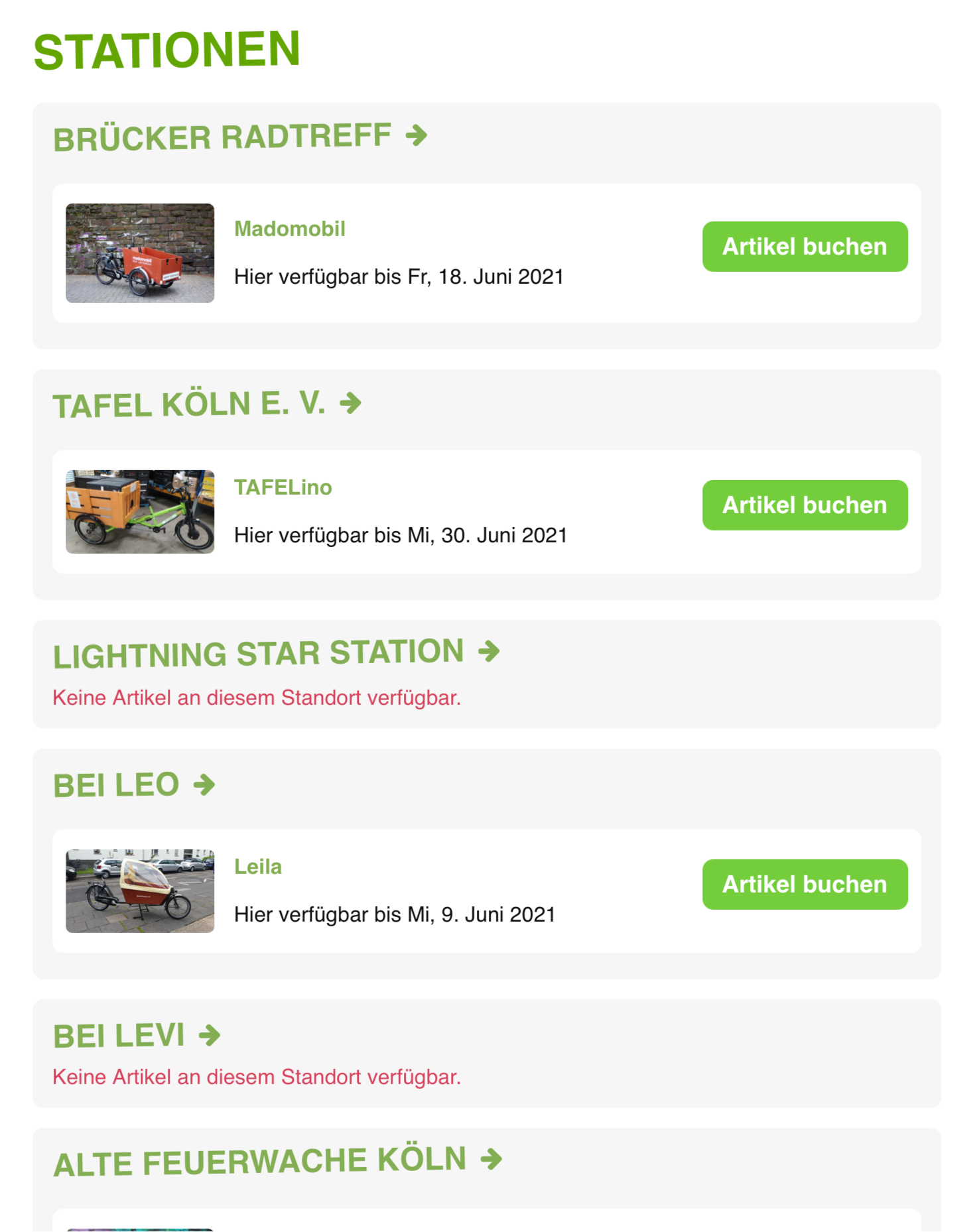
Displays a list of all published locations with the items that are located there
- Shortcode:
[cb_locations]
List of all bookings
List of all bookings, i.e., own bookings of the logged-in user. Users in the administrator role see all bookings here.
- Shortcode:
[cb_bookings] - Users with the cb_manager role see all their own bookings and bookings of the items and locations assigned to them.
- Import to digital calendar via iCalendar format possible
